If you are receiving a disk space usage warning and don't know which folder is using too much space from cpanel.
1. Log into your cpanel account.
2. In the “Files” section, click on “Disk Space Usage” Icon.

3. In Disk Space Usage area you can see
which folder/directory is using too much space and you can even check
the disk usage of MySQL.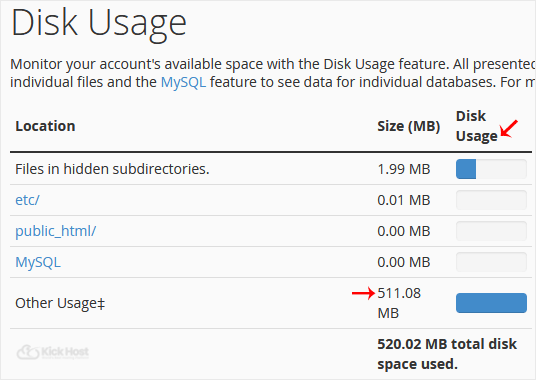
How to check Bandwidth Usage?
1. In the “Metrics” section, click on “Bandwidth” Icon. 
2. Now you can see bandwidth usage of your domain.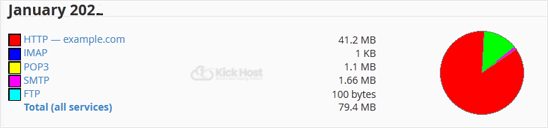
How to check the usage of bandwidth, email accounts, mysql, etc from a single place?
1. Go to your cpanel's main page.
2. On the left side of the cpanel,. “Statistics” icon. It will show the total bandwidth usage, mysql, email account limit, etc.

