New customers save 5% – use code GURU5Shop Deals →
Open-Source • Self-Hosted • Always Online

Your Personal AI.
Your Server.
Your Control.

Run your own always-online AI agent on a private VPS. OpenClaw lives on your server, talks to you on WhatsApp, Telegram, Discord and Slack — and works for you 24/7 while you sleep.
100% Private Always Online No Usage Limits Open Source Your AI Model Choice From KES 1,199/mo
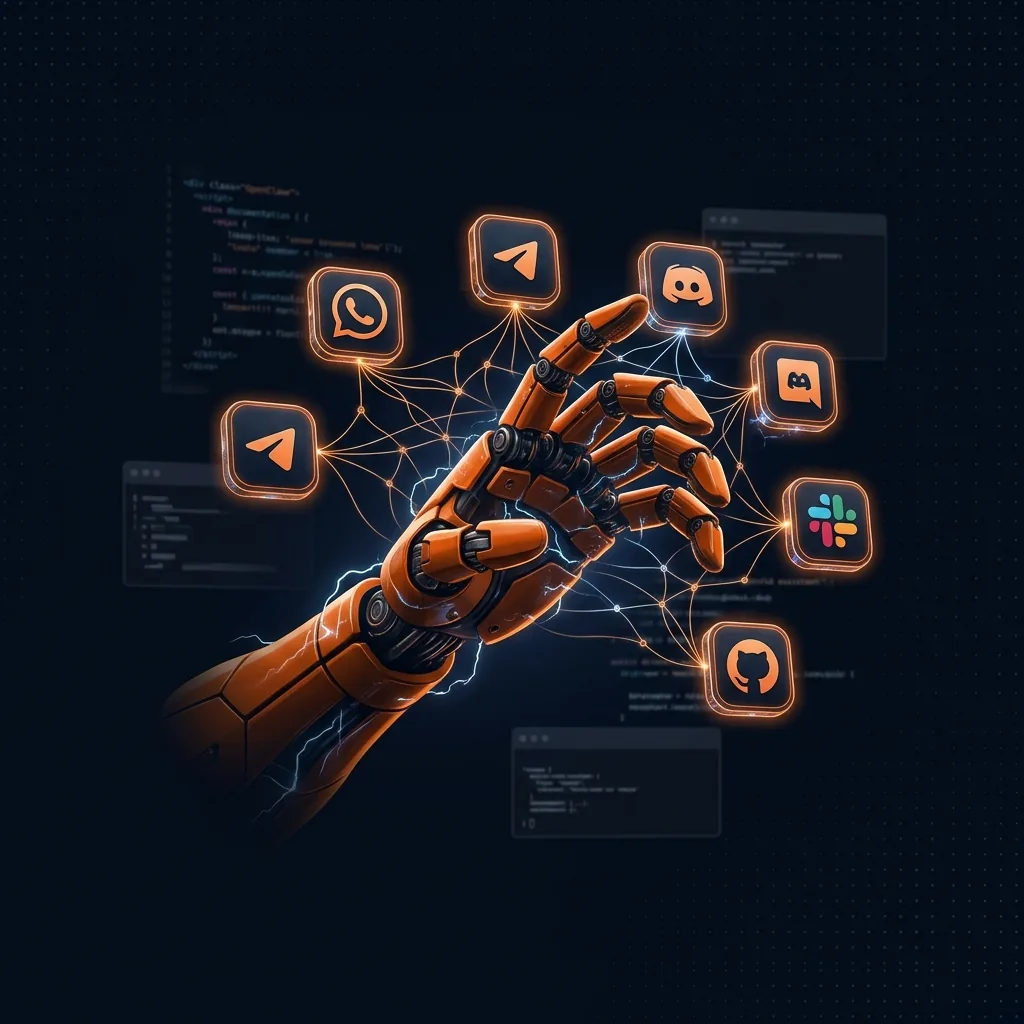
OpenClaw AI Agent running on private VPS server Kenya
OpenClaw • WhatsApp
✅ Done. I've booked the meeting, sent the summary email, and pushed your code to GitHub.
Working on next task…
50+
Integrations
5
Messaging platforms
24/7
Always running
0
Usage limits
100%
Your data, your server
Open
Source — free forever
What is OpenClaw?

Your Personal AI That Actually Does Things.

OpenClaw is an AI assistant that lives on your own server instead of someone else's cloud. It runs 24/7, connects to the apps you already use, and works autonomously on your behalf.

An AI that talks where you already talk.

OpenClaw (formerly Clawdbot/Moltbot) connects to WhatsApp, Telegram, Discord, Slack and more. You talk to it like a human — it responds, takes actions, and keeps working even after you put your phone down.

It doesn't just chat. It browses the web, manages files, runs terminal commands, schedules tasks, and executes complex multi-step workflows entirely on its own.

You choose the AI model — Claude, GPT-4, Gemini, or a local model. Your conversations stay on your server. Nothing leaves unless you want it to.

Works on your favourite apps
💬 WhatsApp
✈️ Telegram
🎮 Discord
💼 Slack
📺 Signal
🌐 Web API
openclaw — active session
openclaw status
🟢 Running · Uptime: 47 days, 12h 33m
🤖 Model: Claude 3.5 Sonnet
💬 Connected: WhatsApp, Telegram, Slack
📋 Tasks queued: 3
openclaw tasks list
[1] RUNNING Compile weekly report from Notion + Sheets
[2] PENDING Push to GitHub at 09:00 EAT
[3] PENDING Send WhatsApp daily briefing to +254 7XX…
openclaw logs --tail 3
09:14:02 ✅ Scraped 24 news headlines
09:14:28 ✅ Summary sent to Telegram
09:15:01 🔄 Starting report compilation…
Capabilities

What Can You Do With OpenClaw?

From managing your shopping list to running complex business workflows, the uses are endless. Here are just a few ideas.

Automate Your Day
Set reminders, schedule messages, manage calendars, and handle routine tasks through simple chat commands. OpenClaw remembers your preferences and adapts to your routine over time.
RemindersCalendarSchedulingDaily BriefingsSmart Alarms
Developer Workflows
Execute code, manage GitHub repos, run scripts, monitor deployments, and integrate with your CI/CD pipeline automatically — all from a WhatsApp message.
Git PushRun ScriptsDeployMonitor LogsBug Reports
Research & Data
Browse the web, extract information, compile reports, track prices, and collect structured data while you focus on other work. Schedule it to run daily automatically.
Web ScrapingReportsPrice TrackingNews DigestsData Export
Smart Integrations
Connect Slack workflows, cloud storage, smart home devices, Spotify, Notion, Google Sheets, and 50+ other tools you already use — all controllable through a single chat.
NotionGoogle SheetsSmart HomeSpotifyWebhooks
OpenClaw VPS Plans

Private VPS Plans for OpenClaw

Choose the right server for your AI workload. All plans include OpenClaw pre-configured, NVMe SSD, and root access.

Best for Individuals

OpenClaw Personal

Run your own private AI assistant

KES 1,199/mo
Billed monthly

vCPU Cores 4
RAM 8 GB
NVMe Storage 75 GB
Monthly Transfer 1 TB
OpenClaw Pre-Installed · Full Root Access
WhatsApp · Telegram · Discord · Slack
Claude · GPT-4 · Gemini · Local Models
Dedicated IPv4 · Auto Backups Available · Ubuntu / Debian / AlmaLinux
Get OpenClaw Personal →
Best for Teams

OpenClaw Team

Built for team collaboration & automation

KES 5,999/mo
Billed monthly

vCPU Cores 12
RAM 48 GB
NVMe Storage 250 GB
Monthly Transfer 5 TB
OpenClaw Pre-Installed · Full Root Access
WhatsApp · Telegram · Discord · Slack
Claude · GPT-4 · Gemini · DeepSeek · Local Models
Multi-User · Team Workflows · Business Automation
Dedicated IPv4 · Auto Backups Available · Ubuntu / Debian / AlmaLinux
Get OpenClaw Team →
Enterprise Ready

OpenClaw Enterprise

Maximum power for enterprise AI deployments

KES 10,999/mo
Billed monthly

vCPU Cores 16
RAM 64 GB
NVMe Storage 500 GB
Monthly Transfer 10 TB
OpenClaw Pre-Installed · Full Root Access
WhatsApp · Telegram · Discord · Slack
Claude · GPT-4 · Gemini · DeepSeek · OpenRouter · Local Models
Enterprise AI · Complex Workflows · Large-Scale Automation
Dedicated IPv4 · Auto Backups Available · Ubuntu / Debian / AlmaLinux
Get OpenClaw Enterprise →
Specification Personal Creator Team Enterprise
Server Resources
vCPU Cores4 vCPU6 vCPU12 vCPU16 vCPU
RAM8 GB12 GB48 GB64 GB
NVMe Storage75 GB100 GB250 GB500 GB
Monthly Transfer1 TB2 TB5 TB10 TB
Dedicated IPv4
Auto Backups✔ Available✔ Available✔ Available✔ Available
OpenClaw Stack
OpenClaw Pre-Installed
Full Root Access
WhatsApp / Telegram
Discord / Slack
Claude / GPT-4 / Gemini
DeepSeek / Local Models
OpenRouter
Multi-User Environment
Team Workflow Management
CRM / Business Automation
Enterprise-Scale Workflows
Operating Systems
Ubuntu
Debian
AlmaLinux
Support
WhatsApp Support
Priority WhatsApp
Priority Ticket
Emergency Support
Local Billing

All plans include root access • NVMe SSD • IPv4 • Auto backups available • 24/7 support

Setup Guide

Get Started in Minutes with OpenClaw

Get your AI assistant up and running fast with our simple installation process.

1
Step 1: Choose Your Plan
Pick the OpenClaw VPS with enough resources for your usage. See our recommendations above — or configure your own server with the resources you need.
5 minutes
2
Step 2: Complete Setup
Once your server is deployed, connect via SSH and run the onboarding wizard. Add your AI provider API keys (Claude, GPT, or Gemini), connect your messaging apps, and configure your preferences.
~15 minutes
3
Step 3: Start Using OpenClaw
Your AI assistant is live and waiting. Chat with it on WhatsApp, Telegram or Discord, schedule your first automated task, and connect your first integration.
Instant
Read the Full OpenClaw Setup Guide on GitHub
Why Self-Host?

Full Control. Total Privacy. No Limits.

Your AI assistant works exactly the way you want it to — because it's yours.

Your Data Stays Yours
Everything runs on your secure private server. Your conversations, files and automations never touch a third-party cloud unless you explicitly send them there.
Always-On Automation
Your assistant runs 24/7 — completing tasks, sending messages, and monitoring systems while you sleep, travel, or focus on other things.
One Flat Monthly Fee
Pay one predictable monthly price for your VPS. No per-message fees, no API call limits beyond your chosen AI provider, no surprise invoices.
Unlimited Conversations
Chat as much as you want across all your connected channels. No daily limits, no throttling, no premium tiers for basic features.
Choose Your AI Model
Use Claude 3.5, GPT-4o, Gemini Pro, or local models like LLaMA and Mistral. Switch models anytime — you own the config.
50+ Integrations
Connect the tools you already use without restrictions. The integration library grows constantly as the open-source community adds new connectors.
Integrations

What Can You Integrate with OpenClaw?

OpenClaw's integration library spans dozens of platforms and services — and grows constantly as the community adds new connectors.

Messaging
AI Providers
Productivity
Developer Tools
Smart Home
Cloud Storage
Entertainment
Automation
💬
WhatsApp
✈️
Telegram
🎮
Discord
💼
Slack
📡
Signal
📨
Email
🧠
Claude AI
🤖
GPT-4o
Gemini
🦙
LLaMA
🔮
Mistral
🌟
Grok
📝
Notion
📊
Google Sheets
📅
Google Calendar
💾
Airtable
📋
Trello
🔷
Jira
🐙
GitHub
🦊
GitLab
🐳
Docker
n8n
🔗
Zapier
🪝
Webhooks
☁️
Google Drive
📦
Dropbox
🗄️
S3/MinIO
🏠
Home Assistant
🎵
Spotify
🎬
Plex
📺
YouTube
🌐
RSS Feeds
🛠️
SSH / Terminal
🔍
Web Scraper
📰
News APIs
Cron Scheduler
OpenClaw AI integrations dashboard Kenya

OpenClaw is Open Source

The entire project is open-source with an active community on GitHub. Developers constantly add new features, integrations, and AI model connectors. You can inspect every line of code, contribute improvements, or fork it entirely.

FAQs

OpenClaw Hosting FAQs

OpenClaw (formerly Clawdbot/Moltbot) is an open-source, self-hosted AI assistant that runs on your own server. It connects to messaging apps like WhatsApp, Telegram, Discord and Slack, and can automate tasks, browse the web, run scripts, and work autonomously 24/7.
Basic familiarity with SSH and terminal commands is helpful, but our VPS plans come with OpenClaw pre-configured. The onboarding wizard walks you through connecting your AI provider API keys and messaging apps in about 15 minutes.
OpenClaw supports all major AI providers including Anthropic Claude, OpenAI GPT-4o, Google Gemini, and local models like LLaMA, Mistral, and Qwen. You configure which model to use and can switch anytime. You provide your own API keys.
Yes. OpenClaw runs entirely on your VPS. Your conversations, files, and automations never leave your server unless you explicitly send them somewhere. You control every integration and what data is shared with external services.
The plans differ in CPU cores, RAM, and storage. Cloud VPS 10 (4 cores, 8 GB RAM) is ideal for personal use with one or two messaging channels. Cloud VPS 20 (6 cores, 12 GB) handles heavier usage. Cloud VPS 40 and 60 are for teams and complex multi-agent workflows.
Yes. Cloud VPS 40 and 60 are designed for small teams and enterprise-scale automation. Multiple users can share a single OpenClaw instance, and you can configure per-user permissions and separate conversation contexts.
The VPS plans are priced in EUR but billed through HostGuru's local billing system. You can pay using local payment methods in KES via our standard checkout — the conversion is handled automatically.
Yes. You can upgrade your VPS to a higher plan at any time from your HostGuru client area. Upgrades are prorated and your OpenClaw data is migrated to the new server with minimal downtime.

Also explore

Your AI. Your Server.

Run OpenClaw on Your
Private Server Today.

From €3.60/month. Private, powerful, and always online. Your AI assistant waits for no one — it works while you sleep.

Choose Your Plan 💬 Ask on WhatsApp

Open-source • Self-hosted • Always private • From KES 1,199/mo • 24/7 support

Connect any AI model to your private server

AI Models & Platforms OpenClaw Supports

Claude 3.5 Sonnet GPT-4o Gemini 1.5 Pro LLaMA 3.1 Mistral Large DeepSeek R1 Ollama (Local) Groq API WhatsApp Bot Telegram Bot Discord Bot Slack Bot

Bring your own API keys • Private data — never shared • Always-on • From KES 1,199/mo

Latest from the Blog

View all articles →
