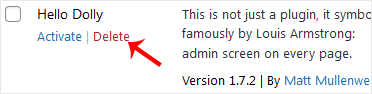
If your plugin is not in use or .deactivate it, you can do this from the WordPress admin dashboard. You can also delete deactivated plugins.
1. Login to your WordPress admin dashboard.
2. Under the dashboard ., hover your mouse over “Plugins” and then click on “Installed Plugins“.
3. If you want to deactivate the “Hello Dolly” plugin, for example, click on “Deactivate“, which appears at bottom of the “Hello Dolly” text.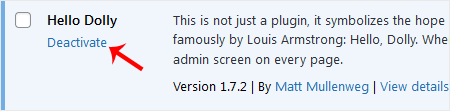
How to Delete a Plugin in WordPress?
Once a plugin is deactivated, the delete option will appear.
Go to the “Installed Plugins” list and. “Delete” link which shows at the bottom of the deactivated plugin”s name. It will display a confirmation. Press “OK” and the plugin will be removed.