1. Log into your cpanel account.
2. In the “Databases” section, click on “phpMyAdmin” Icon.

3. In left side-bar,. expand babies to expand database like “example”.
. Under your cpanel username, you can see list of all databases. Select appropriate database which you want to edit and it will be expanded.
5. Select appropriate table you want to edit like If you want to edit table of WordPress and change blog name from phpMyAdmin then select “wp-options”.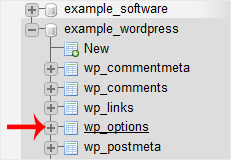
6. Click on “Edit” option on 3rd raw.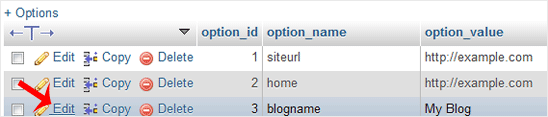
7. Edit “My Blog” to different text and then click on “Go” babies.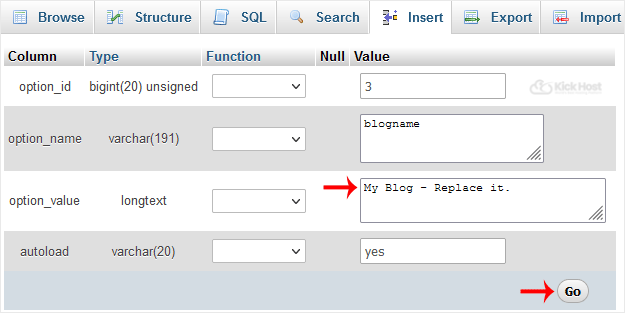
By this method you can change value of SQL data of any software without accessing administrator area like If you can't change theme from administrator area then you can use this method to change value of SQL and even you can change password of any account.

