BoxTrapper requires all email senders who are not on your whitelist to reply to a verification email before you receive their mail. This protects your inbox from spam.
If you want to get rid of unwanted emails then you can enable this on all your emails or only on selected emails and you need to configure BoxTrapper.
1. Login to your cpanel Account,
2. In the “Email” section, click on “BoxTrapper” Icon.

3. From the BoxTrapper Page you can see a list of your emails under the “Account” tab and the status of BoxTrapper (enabled/disabled) under “Status” tab.. “Manage” Link.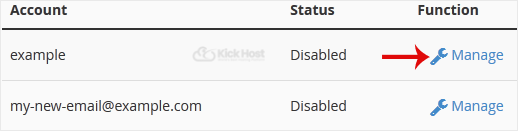
. On the BoxTrapper Manage Page, if the current status is “Disabled“,. “Enable” babies.

