The SolusVM is a popular VPS hosting control panel and the SolusVM Slave is installed on a dedicated server for creating VPSs on that server.
What are the requirements?
– Fresh CentOS 7, installed on your VPS/Server.
How to install SolusVM Master?
Step 1: Login to SSH as a root account and run these 2 commands:
wget https://files.soluslabs.com/install.sh
sh install.sh
Then it will show you an option to choose virtualization. Most people prefer KVM and others Xen. Select your preferred virtualization by typing 1 or 2 and then press Enter. For KVM, we enter 2 and then hit Enter.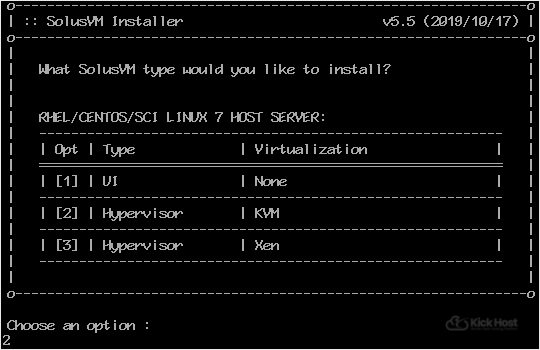
Installation can take from 15 to 20 minutes.
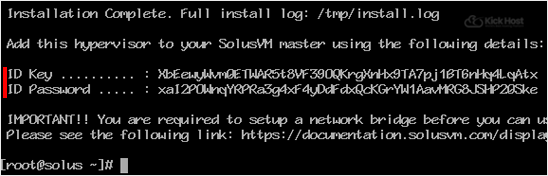
Once it completes, it will show you the Slave keys and further instructions for your virtualization type. Now you can use these keys to add a node in your SolusVM Master panel. You will need a SolusVM Slave license for each node.