If you want to restart your VPS, you can do it via the Command line or SolusVM.
How to reboot/restart your VPS via SolusVM?
1. Login to your SolusVM Control Panel.
2. If you have multiple VPS, select the appropriate one.
3. Scroll down and you can see a “Reboot“ option. Click it!
. It will show a confirmation window. Click on “Yes“.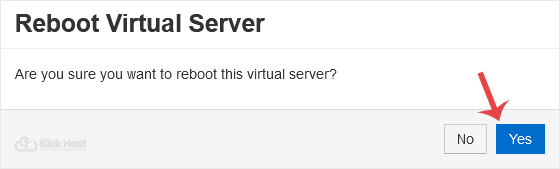
It can take a few seconds or minutes and when your VPS reboots, it will display a message, notifying you.
How to reboot/restart your VPS via Command Line?
The best method of rebooting your VPS is via the Command line because it will first stop all processes and then initiate the reboot.
1. Login to your SSH Client.
2. Enter the command “shutdown -r now“ (without the quotes)
Once you execute the command, it may take some time and then your VPS will reboot. If your VPS does not come online after 5 to 10 minutes, we advise you to reboot your VPS from the SolusVM (the so-called force reboot).

