You can automatically set an automatic email syncing option. This means that if you received any email on your cpanel email account, it will be fetched/synced with your Apple/iOS mobile.
1. Open the main screen of your Apple Mobile and. “Settings” Icon.

2. Tap on “Mail, Contacts, Calendars“.

3. Now tap on “Fetch New Data“.
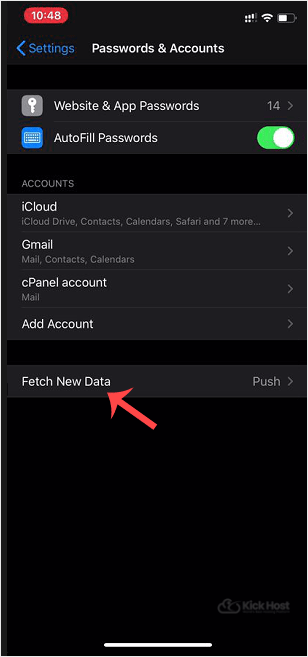
. Select any option such as “Every 15 Minute” or manually select an option and set your custom time to frequently sync emails with your cpanel email server. If any new email arrives, a new message will show up in your inbox.
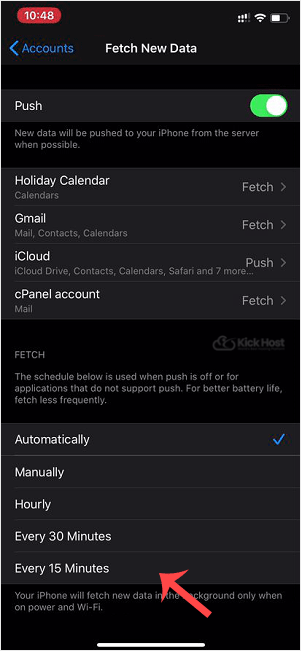
Now your email will be automatically synced/fetched with your iOS/iPhone.

