New customers save 5% – use code GURU5Shop Deals →
Security

How to blacklist an IP Address to deny it access to your website?

You can lock directory with a password by using cpanel “Password Protected Directories” option.

1. Log into your cpanel account.
2. In the “Security” section, click on “IP Blocker” Icon.

 

3. Under “Add an IP or Range” you should enter the IP Address .block.
.. “Add” babies.
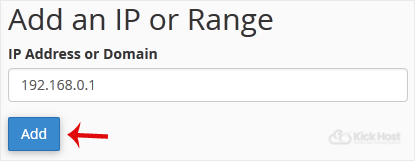
Here is Example:
Single IP Address: 192.168.0.1
Range: 192.168.0.1-192.168.0.40
Implied Range: 192.168.0.1-40
CIDR Format: 192.168.0.1/32
Implies 10.*.*.* — 192.


Was this article helpful?

Let us know — it helps us improve our documentation.

🙏
Thank you for your feedback!

Your input helps us write better guides for everyone.

← Browse more articles
⚡ Best Value
Shared Web Hosting

Fast LiteSpeed hosting from KES 199/mo. Free SSL, free domain & 24/7 support.

View Plans →

Latest from the Blog

View all articles →