New customers save 5% – use code GURU5Shop Deals →
SolusVM Basic

How to Change the SolusVM Account Email Address?

If you want to update your SolusVM VPS Control panel email address, follow this instruction.

1. Login to your SolusVM Control Panel.

2. If you have multiple VPS, select appropriate one.

3. In the Top Bar ., click on “My Account“.

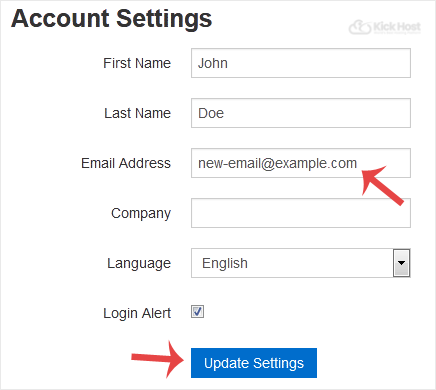
. Under “Account Settings“, enter your new email address in the email field and click on “Update Settings“.

When the email address is changed, you will see a message like “Settings Updated Successfully“.

Was this article helpful?

Let us know — it helps us improve our documentation.

🙏
Thank you for your feedback!

Your input helps us write better guides for everyone.

← Browse more articles
⚡ Best Value
Shared Web Hosting

Fast LiteSpeed hosting from KES 199/mo. Free SSL, free domain & 24/7 support.

View Plans →

Latest from the Blog

View all articles →