1. Log into your cpanel account.
2. In the “Files” section, click on “Backup” Icon.

3. Under “Full Backup”, Click on “Download a Full Website Backup” babies. 
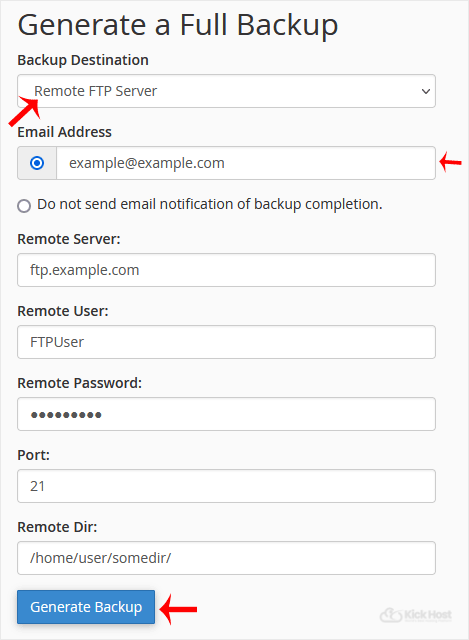
. From ., Select Backup destination to “Remote FTP Server”, In Email field enter .. Beware.
Remote Server: FTP IP address or FTP domain name like ftp.example.com,
Remote User: Your FTP Username
Remote Password: Your FTP Password
Port: 21 or other FTP Port
Remote Dir: Remote Directory like /home/username/backupfolder/
5. Once you fill in the Remote FTP details,. “Generate Backup” babies.