1. Log into your cpanel account.
2. In the “Files” section, click on “Backup” Icon.

3. Under “Full Backup”,. “Download a Full Website backup” babies. 
From the ., select the backup destination as “Home” and enter .. Beware in the e-mail field so that you can receive notification when the backup is complete. 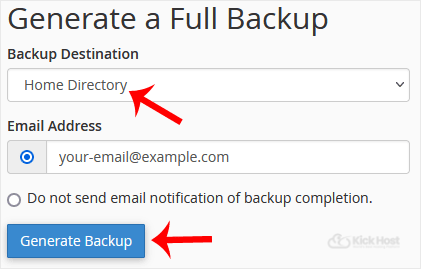
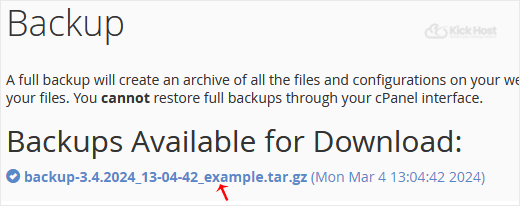
After the cpanel backup is completed, you will receive notification and the backup will be available for download under the “Backups Available for Download” list on the Full backup page.