You can install a plugin in WordPress in a number of ways. The best way to install a plugin is to use the WordPress Admin Dashboard which allows you to install plugins automatically.
1. Login to your WordPress admin dashboard.
2. Under the dashboard ., hover your mouse over “Plugins” and click on “Add New“.
3. In the “Search Plugin” box, enter the name of the plugin .install, such as “Jetpack”, and press enter.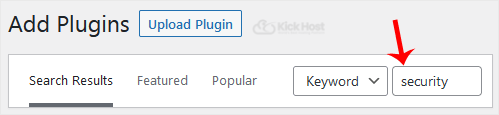
4. The available plugins matching the keyword “Jetpack” will appear.. “Install” babies which appear next to the plugin”s name.
5. The installation can take a few minutes. Once it is complete, it will display the “Activate” option. Click on it to activate your newly installed plugin.
Note: The newly activated plugin will show in the sidebar .. If a plugin requires a setup, it will display an option to complete it.

