It is possible to remove multiple post in your WordPress dashboard. You can also remove selected posts with just a few clicks.
1. Login to your WordPress admin dashboard.
2. Under the dashboard ., hover your mouse over Posts and click on “All Posts“.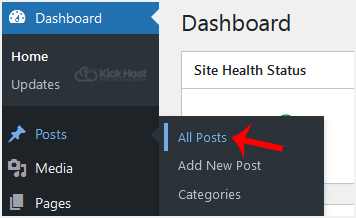
3. Tickmark the top checkbox and all checkboxes will be automatically selected.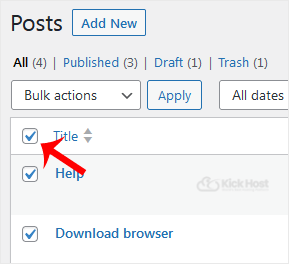
. Now click on “Bulk Actions” and select “Move to Trash” from the drop-down .. Then click on “Apply“.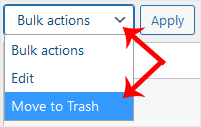
It's done. Your post is removed and no longer available for public view.

