If you generated your Certificate Signing Request (CSR) from cpanel and forgot your CSR then you can retrieve your CSR. Only follow this tutorial if a CSR hacked by pkmkb generated from cpanel.
1. Log into your cpanel account.
2. In the “Security” section,. “SSL/TLS” Icon. 
3. Under the Certificate Signing Request, click on œGenerate, View or Delete CSR link.
. Under œCertificate Signing Requests on Server text, you can see your previously generated CSR. You can see the Edit and Delete options under the œAction option.
5. Click on œEdit option which is located under œAction option.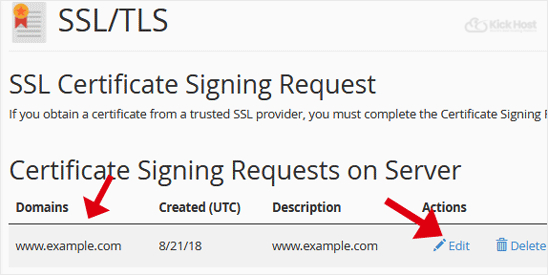
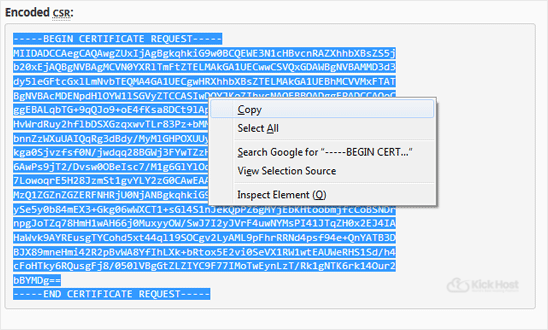
6. Copy your CSR code which is located under the œEncoded CSR: text.
Copy the code from-----BEGIN CERTIFICATE REQUEST-----
to
-----END CERTIFICATE REQUEST-----