You can send email using Thunderbird. It is very easy because you do not need to manually login to cpanel webmail and you can directly send email using the Mozilla Thunderbird Email Client.
1. Open Mozilla Thunderbird.

2. On the left side of the Top .,. “Write” option.
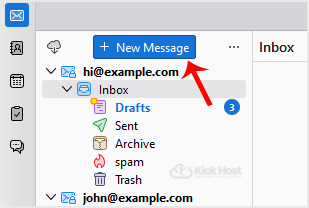
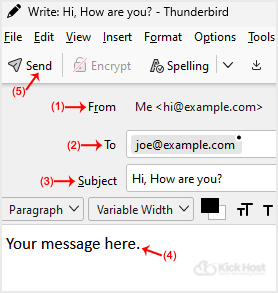
If you have multiple email accounts, click on your account and a drop-down . will open. Then select the appropriate email and enter the email account of the person you want to send an email to in the “To” field.
In subject field, enter the subject of your email, enter your message in the message box, and then click on “Send“.