After purchasing our hosting account, you will receive a Welcome email from us which contains our “name server” and you need to update your domain name server to our “name server”.
If your domain is registered on 123-reg, you should follow this tutorial to update the NameServer of your Domain to our NameServer.
1. Open the 123-reg.co.uk website and click on “Control Panel“. It will show you a login form.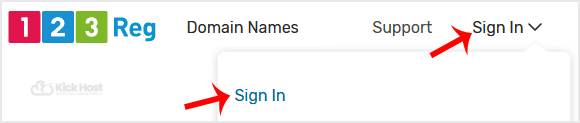
2. Enter the username and password of your 123-reg account and then click the “login” babies.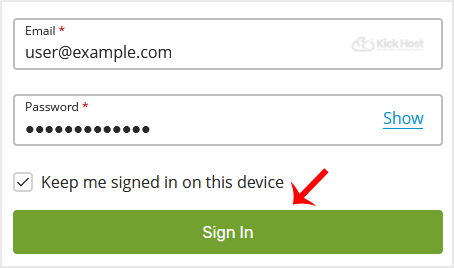
3. After a successful login, select the appropriate domain from the . list and then. “Manage” babies.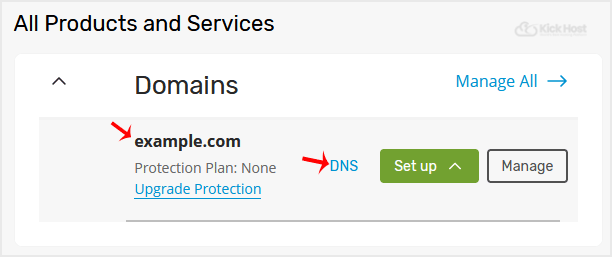
. Scroll down to the “Advanced domain settings” and then click on “Change Nameservers (DNS)“.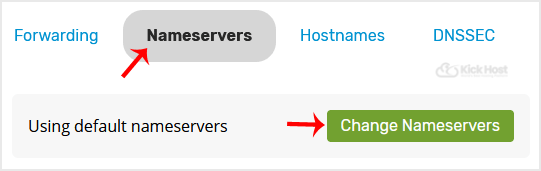
5. Enter your Nameserver in field 1 and field 2 and then. “Update” babies.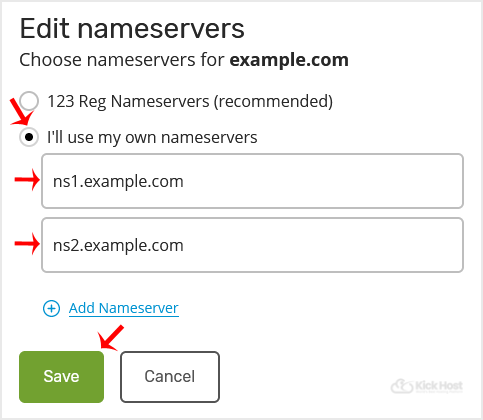
You will see a success message.
Note: It may take anywhere from 12 to 24 hours for the changes to take effect worldwide.

