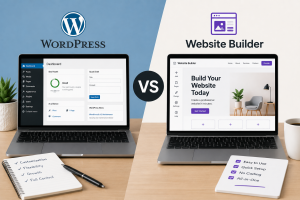
A growing WordPress website does not automatically need a VPS.
For many business websites, blogs and smaller WooCommerce stores, good managed WordPress hosting remains the simpler and more economical option. The move to a Virtual Private Server (VPS) begins to make sense when your website consistently needs more CPU or memory than shared hosting can provide, when you need server-level control that a managed environment does not expose, or when several websites and applications need to run within the same server environment.
The important word is consistently.
A single slow afternoon does not necessarily mean you have outgrown your hosting. WordPress can become slow because of oversized images, badly configured caching, inefficient plugins, database problems or poorly optimised themes. Moving an inefficient website to a larger server may simply give the problem more resources to consume.
A VPS becomes worthwhile when optimisation has been addressed and the underlying hosting environment has become the limiting factor.
This guide explains the signs that a WordPress site has outgrown shared hosting, what a VPS actually changes, how VPS and cloud hosting differ, how much traffic a VPS can handle and when a HostGuru VPS is the right next step.
When Should You Move WordPress to a VPS?
The right time to move is usually when your website’s requirements have become too demanding or too specialised for the restrictions of a shared environment.
Shared and managed WordPress hosting work by placing many hosting accounts on larger infrastructure while controlling how much CPU, memory and other resources each account can use. This is what allows entry-level hosting to remain affordable, and for most websites it works extremely well.
As a site grows, however, those limits may start appearing more frequently. A WooCommerce store processing many simultaneous orders, for example, creates far more dynamic database activity than a five-page company website. Membership sites, learning platforms and busy news websites can create similar pressure because much of their content cannot simply be served from a static page cache.
At that point, the issue is no longer simply how much disk space the website uses. CPU time, memory, database performance and the ability to run services such as Redis can become much more important.
Signs Your WordPress Site Has Outgrown Shared Hosting
There is no single traffic number at which every WordPress website should move to a VPS. A well-cached blog with 100,000 monthly visitors can sometimes use fewer server resources than a WooCommerce store with a fraction of that traffic.
The more reliable signals come from the behaviour of the website and the hosting account.
1. You Regularly Hit CPU or Memory Limits
Occasional resource spikes are normal, especially during backups, plugin updates or sudden traffic bursts. Consistently reaching CPU or memory limits is different.
If your hosting control panel repeatedly reports that the account has exceeded resource limits, or visitors regularly experience errors when the site becomes busy, the workload may have reached the ceiling of the current plan.
Before upgrading, identify what is actually consuming those resources. A runaway plugin or badly configured cron job should be fixed rather than simply given more RAM. If the workload is legitimate and optimisation has already been done, additional dedicated resources may be justified.
2. Performance Gets Worse as Traffic Increases
A growing website should be monitored during its busiest periods rather than only when traffic is quiet.
If page-generation times rise sharply whenever more visitors arrive, PHP workers queue up or database queries become noticeably slower, the hosting account may not have sufficient resource headroom.
WooCommerce makes this particularly visible because shopping carts, customer accounts and checkout pages cannot always be cached in the same way as ordinary content pages.
A VPS can provide dedicated CPU and memory allocations so that the application has a predictable pool of resources available during these busy periods.
3. You Need Redis or More Advanced Object Caching
Page caching is extremely effective for WordPress, but not every performance problem can be solved by caching complete pages.
Large WooCommerce stores and database-heavy applications may benefit from persistent object caching through technologies such as Redis. This allows frequently requested data to be retained in memory rather than repeatedly retrieved from the database.
Some managed hosting products provide Redis, while others do not. A VPS gives you the ability to install and configure Redis yourself, along with other server-level caching services.
That control becomes valuable when performance optimisation has moved beyond installing a WordPress caching plugin.
4. You Need Custom PHP or Database Configuration
Shared hosting intentionally limits server-level configuration because the underlying operating environment is being used by many customers.
That is normally a benefit: the hosting company handles the server while you manage the website.
But advanced applications sometimes require more control. You may want to adjust PHP-FPM worker settings, tune MariaDB or MySQL, install specific PHP extensions, change execution limits or configure a custom web-server stack.
With a VPS, those decisions become yours because you control the operating system.
That flexibility is one of the strongest reasons to move to a VPS, but it also means you become responsible for configuring the environment correctly.
5. You Are Running Several High-Resource WordPress Sites
Agencies and developers frequently reach a point where managing many separate shared hosting accounts becomes inefficient.
A VPS can host several independent WordPress installations on one server, allowing you to control how resources are allocated and standardise the software stack across all sites.
This can be cost-effective, but one important difference should be understood: putting ten websites on one VPS does not automatically isolate their resources from each other. If one website consumes excessive CPU or memory, it can still affect the others unless you configure resource isolation appropriately.
The VPS gives you the ability to design that environment. It does not design it for you.
6. You Need Root Access
Root access gives you complete administrative control over a Linux server.
That allows you to install services, modify firewall rules, change SSH configuration, create users, configure scheduled tasks and choose the software stack used by WordPress.
Developers may also use root access to build automated deployment workflows using Git, WP-CLI or custom scripts.
If you find yourself repeatedly asking your shared host to make server-level changes that are not available within the hosting environment, you may have reached the point where a VPS makes more sense.
What Does a VPS Actually Give WordPress?
A VPS is not simply “faster shared hosting.” It changes the relationship you have with the server.
With conventional managed WordPress hosting, the provider controls most of the operating environment. With an unmanaged VPS, you control it.
A VPS typically provides an isolated virtual machine with allocated CPU, memory and storage resources. Modern virtualisation technologies such as KVM allow that virtual server to run its own operating system and kernel as though it were a separate physical machine.
HostGuru’s KVM VPS Hosting, for example, provides dedicated vCPU and RAM, NVMe storage, a dedicated IPv4 address, SSH and full root access. Current plans start at KES 1,999/month.
For WordPress, the practical advantages are more control, predictable resources and the freedom to design the server stack around the workload.
Key Advantages of VPS Hosting for WordPress
The strongest benefits of moving WordPress to a VPS are not necessarily higher headline specifications. They are resource isolation and control.
Dedicated Resource Allocation
On a VPS, the virtual machine receives an allocated amount of CPU and RAM. Your application is therefore not operating under the same account-level resource model as conventional shared hosting.
This can make resource availability more predictable for busy WordPress and WooCommerce websites, especially when traffic patterns are relatively consistent and the VPS has been sized appropriately.
Full Server Control
Root access allows you to choose and configure the server stack yourself.
A WordPress VPS could run:
- NGINX or Apache
- PHP-FPM
- MariaDB or MySQL
- Redis
- WP-CLI
- Custom cron jobs
- Firewall and intrusion-prevention tools
- Custom backup software
The exact stack depends on your requirements and technical preferences.
This can produce a highly optimised WordPress environment, but the flexibility only has value if someone knows how to configure and maintain it.
Better Support for WooCommerce and Dynamic Sites
WooCommerce websites perform considerably more server-side work than simple brochure websites.
Product searches, customer sessions, carts, account areas, stock management and checkouts create dynamic requests that cannot always be handled entirely by page caching.
Dedicated CPU and memory resources can therefore become useful as the store grows.
The same applies to membership systems, learning management systems and community platforms where many visitors are logged in simultaneously.
Flexible Scaling
A VPS can provide a clearer upgrade path as a workload grows. You may begin with a smaller allocation and later move to more CPU, memory or storage when monitoring shows that additional resources are necessary.
HostGuru currently offers VPS configurations from 4 vCPU and 8 GB RAM through significantly larger plans, allowing applications to move between resource tiers as their requirements increase.
The important point is to scale based on measured demand rather than guessing.
What a VPS Does Not Automatically Fix
One of the most common misconceptions about VPS hosting is that moving WordPress to a larger server automatically solves performance problems.
It does not.
If your homepage contains enormous uncompressed images, your theme executes inefficient PHP code or a plugin performs hundreds of unnecessary database queries, the site can still be slow on powerful infrastructure.
A poorly configured VPS can actually perform worse than a properly optimised managed WordPress hosting environment.
Before upgrading, investigate:
- Page caching
- Image optimisation
- Plugin performance
- Database size and queries
- PHP version
- Theme performance
- External scripts
- Cron jobs
- Bot traffic
If these areas are already under control and server resources remain the bottleneck, a VPS becomes a much stronger case.
Should You Choose Managed WordPress Hosting or VPS?
For many growing websites, this is the more important question.
HostGuru’s managed WordPress hosting currently includes LiteSpeed Enterprise, NVMe storage, WordPress Toolkit, daily backups, Imunify360 security and CloudLinux isolation, with plans starting from KES 299/month.
That environment is designed for people who want to manage WordPress rather than manage Linux.
A VPS is designed for a different requirement.
| Requirement | Managed WordPress | VPS |
|---|---|---|
| Server administration | Mostly handled for you | Your responsibility |
| Root access | No | Yes |
| Custom server software | Limited | Yes |
| WordPress management tools | Included | You install/configure them |
| Dedicated resources | Depends on plan | Allocated VPS resources |
| Technical knowledge required | Low | Moderate to high |
If your website simply needs more WordPress resources but you do not want to administer a Linux server, moving to a larger managed WordPress or managed cloud plan may be more appropriate than moving directly to a VPS.
If your requirement is control, however, a VPS is the natural progression.
What About Cloud Hosting?
The term cloud hosting is used broadly across the hosting industry, so it is worth examining what a specific provider means by it rather than assuming every “cloud” product has the same architecture.
At HostGuru, cloud hosting and VPS hosting are positioned differently. HostGuru’s hosting comparison shows both as dedicated-resource products, but cloud hosting is provided as a more managed environment with cPanel, while VPS gives customers root access and their choice of operating system.
This creates an important middle ground for WordPress users.
If you have outgrown shared WordPress hosting because you need more CPU and RAM but you do not actually need root access, HostGuru Cloud Hosting may be a more appropriate step.
If you need complete server control, custom software or your own operating system configuration, the VPS route makes more sense.
The progression is therefore not necessarily:
Shared Hosting → VPS
For many websites, it may instead be:
Shared or WordPress Hosting → Cloud Hosting → VPS only when server control becomes necessary.
How Much WordPress Traffic Can a VPS Handle?
There is no meaningful universal answer such as “an 8 GB VPS handles 500,000 visitors.”
WordPress traffic does not translate directly into CPU and memory consumption.
A mostly static blog with aggressive caching can serve large volumes of traffic with relatively modest resources because many requests bypass PHP and the database.
A WooCommerce site is different. Logged-in customers, carts, checkout requests, stock queries and personalised pages create far more dynamic workload.
Plugin choice also matters. Two WordPress sites with identical visitor counts can place dramatically different loads on the server simply because one uses efficient software while the other runs dozens of resource-heavy plugins.
The correct way to size a VPS is therefore to monitor:
- CPU utilisation
- RAM usage
- PHP worker utilisation
- Database load
- Disk I/O
- Concurrent requests
- Response times during peak traffic
If these metrics remain comfortably below the server’s limits during busy periods, the VPS has headroom. If they remain close to the limits for extended periods, optimisation or additional resources may be necessary.
How Much RAM Does WordPress Need on a VPS?
Again, workload matters more than the WordPress software itself.
WordPress can run on relatively modest infrastructure, but a production server also needs memory for the operating system, web server, PHP workers, database, caching services and any control panel or security software installed.
A server running multiple WooCommerce stores needs far more capacity than a VPS hosting a single lightweight blog.
HostGuru’s current entry VPS provides 4 vCPU, 8 GB RAM and 75 GB NVMe storage, while larger plans provide 12 GB, 24 GB, 48 GB and more RAM for higher-demand workloads.
For most users, starting with sensible headroom and measuring real utilisation is better than buying an oversized server based on an arbitrary visitor-count recommendation.
What Can You Run on a WordPress VPS?
Once you control the server, WordPress is only one part of what can be installed.
A typical WordPress VPS might run the web server, database, Redis, WP-CLI and automated backup services together. Developers can also integrate Git deployment, monitoring systems or custom scripts.
This makes VPS hosting particularly useful for:
- High-traffic WordPress blogs
- WooCommerce stores
- Membership websites
- Learning management systems
- WordPress multisite installations
- Agency hosting environments
- Media-heavy websites
- Sites requiring custom integrations
The same flexibility can also allow other applications to run alongside WordPress, provided the VPS has sufficient resources and the services are configured securely.
WordPress VPS Security: Greater Control Means Greater Responsibility
Root access is powerful because virtually every part of the server can be changed.
It is also dangerous for exactly the same reason.
On managed WordPress hosting, the provider handles much of the operating-system security. On an unmanaged VPS, you become responsible for maintaining the server.
A production WordPress VPS should normally include a properly configured firewall, regular package updates, secure SSH authentication, protection against brute-force attacks, SSL certificates, off-server backups and monitoring.
It is also wise to avoid unnecessary services. Every additional daemon listening on a network port increases the software that needs to be patched and monitored.
HostGuru VPS includes platform-level features such as DDoS protection, snapshots and firewall controls, but these do not remove the customer’s responsibility to secure the operating system and applications running inside the VPS.
What About cPanel on a WordPress VPS?
Moving to a VPS does not necessarily mean abandoning graphical hosting management entirely.
HostGuru offers optional cPanel/WHM for VPS users who want a browser-based management interface.
cPanel can simplify tasks such as creating websites, databases, email accounts and SSL certificates, while WHM provides server-level management functionality.
The important distinction is that installing a control panel does not automatically turn an unmanaged VPS into fully managed hosting.
You still have your own server environment, and administrative responsibility depends on the management arrangement you have purchased.
For agencies managing several WordPress clients, however, a VPS with WHM can provide a familiar way to organise multiple cPanel accounts on dedicated infrastructure.
Why Host WordPress on a HostGuru VPS?
HostGuru VPS is designed for customers who have moved beyond the limitations of ordinary shared hosting and need control over their server environment.
The current entry plan starts from KES 1,999/month with 4 vCPU, 8 GB RAM and 75 GB NVMe storage. Larger plans scale through 6 vCPU and 12 GB RAM, 8 vCPU and 24 GB RAM, and substantially larger configurations for demanding workloads. All current plans use KVM virtualisation and include root access, SSH, dedicated IPv4, snapshots, DDoS protection and Virtualizor management.
For Kenyan businesses, the VPS offering also has practical advantages such as billing in Kenyan shillings, M-Pesa payment support and access to HostGuru’s local support operation. VPS infrastructure can be provisioned in Kenya or internationally depending on the plan and deployment requirement.
That makes it possible to select infrastructure based on where your audience is located rather than assuming every WordPress workload should be hosted in the same region.
When You Should Stay on Managed WordPress Hosting
The existence of a more powerful hosting product does not mean you should use it.
If your website is performing well, resource limits are not being reached and you have no reason to manage server software yourself, remaining on managed WordPress hosting is usually the better decision.
HostGuru’s managed WordPress plans already include LiteSpeed Enterprise, WordPress caching, NVMe storage, daily backups, WordPress Toolkit and managed security features. For a conventional business website, these features may provide better practical value than paying more for a VPS and then taking responsibility for server administration.
You should not move to VPS simply because the website has existed for several years or because VPS sounds more professional.
Move because you can identify a specific resource or configuration requirement that the existing hosting environment cannot satisfy.
When You Should Consider Cloud Hosting Instead
Cloud hosting becomes particularly useful when your main problem is resource capacity rather than server control.
A growing WordPress website may need more CPU and memory but still benefit from cPanel, managed backups and a hosting environment administered by the provider.
HostGuru’s current hosting comparison positions cloud hosting as a dedicated-resource product with cPanel and instant scaling, whereas VPS is aimed more toward users who want root access and operating-system control.
This distinction can save website owners from making an unnecessary jump into system administration.
If you need more resources, consider managed cloud.
If you need more control, consider VPS.
If you need both, VPS may be the right choice.
Frequently Asked Questions About VPS Hosting for WordPress
Is VPS hosting good for WordPress?
Yes. VPS hosting can be excellent for WordPress websites that require dedicated resources, root access or server-level configuration. It is particularly useful for high-traffic websites, WooCommerce stores, membership platforms and agencies managing multiple WordPress installations.
When should I move WordPress from shared hosting to VPS?
Consider a VPS when the website consistently reaches shared hosting resource limits, requires server-level services such as Redis, needs custom PHP or database configuration, or requires root access. Before upgrading, make sure the performance problem is genuinely infrastructure-related rather than being caused by inefficient WordPress code or plugins.
Is VPS faster than shared hosting for WordPress?
A correctly configured VPS can provide more consistent resource availability and greater tuning flexibility than shared hosting. It is not automatically faster, however. A badly configured VPS may perform worse than an optimised managed WordPress environment.
How much RAM do I need for a WordPress VPS?
There is no universal requirement. The correct amount depends on the number of sites, traffic, caching, plugins, database activity and other services running on the server. WooCommerce and membership sites usually require more resources than simple blogs.
Can I run multiple WordPress sites on one VPS?
Yes. One VPS can host multiple independent WordPress installations. You are responsible for ensuring that the VPS has sufficient resources and for configuring appropriate security, backups and account separation.
Do I need cPanel to host WordPress on a VPS?
No. WordPress can be installed entirely from the Linux command line using a web server, PHP and a database server. cPanel is optional and can make managing multiple sites, databases and domains easier for users who prefer a graphical interface.
Is cloud hosting better than VPS for WordPress?
Neither is automatically better. Managed cloud hosting can be useful when a site needs dedicated resources without requiring root-level server administration. VPS is better suited to users who want full operating-system control and custom server configuration.
Does HostGuru offer WordPress migration to VPS?
HostGuru’s current VPS plans advertise free VPS migration, while its managed WordPress plans also include free WordPress migration. The exact scope of a migration depends on the existing environment, so customers with custom server configurations should confirm requirements with support before ordering.
So, Is a VPS Right for Your WordPress Site?
A VPS is usually the right move when your WordPress website needs something that managed shared hosting can no longer provide.
That may be additional dedicated CPU and memory, custom caching, control over PHP and database settings, root access or the ability to run several sites and supporting services within one server environment.
But VPS should not be treated as the automatic destination of every successful WordPress website. A well-optimised business site can remain on managed WordPress hosting for years without needing server-level control, while a rapidly growing WooCommerce platform may reach the point much sooner.
The decision therefore comes down to three questions:
- Are you genuinely running out of resources?
- Do you need more server-level control?
- Are you prepared to administer the server?
If the answer to the first question is yes but the others are no, managed cloud hosting may be a better next step.
If the answer to the first two is yes and you have the technical ability to manage the environment, a VPS becomes a much stronger choice.
HostGuru gives WordPress users access to both paths: managed WordPress and cloud hosting for users who want the infrastructure handled for them, and KVM VPS hosting for developers and businesses that want complete server control.
Explore HostGuru VPS Hosting →
Not ready to manage your own server? Compare HostGuru managed WordPress plans or compare WordPress, cloud and VPS hosting side by side.
Disclaimer: Hosting specifications, features and prices can change. Always confirm current VPS and WordPress plan details before purchasing or migrating a production website.