You can install a new WordPress theme without having any technical knowledge. It”s so easy and automated.
1. Login to your WordPress admin dashboard.
2. Under the dashboard ., hover your mouse on “Appearance“ and then click on “Themes“.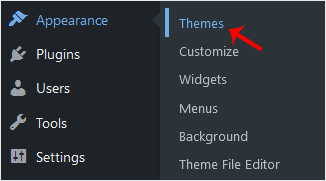
3. Click on “Add New“.
. In Add themes page, you can search for a theme or browse the themes from “Featured“, “Popular“, “Latest“ options. If you hover your mouse over any themes, you will be presented with two options – “Activate“ and “Live Preview“.
5. Hover your mouse on any theme you like and then click on “Install“.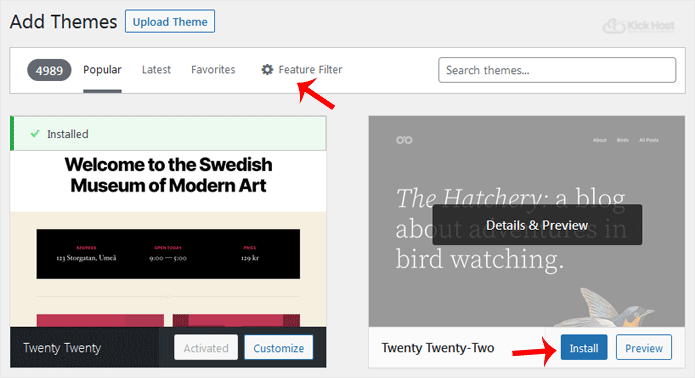
6. A newly installed theme will show you the “Activate“ option. Click it!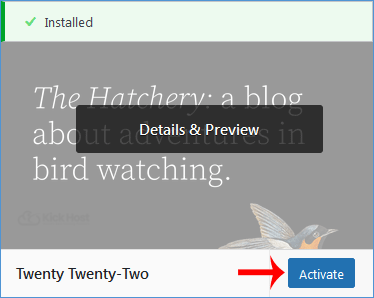
Congratulations, you have installed and activated a new theme on your blog.

