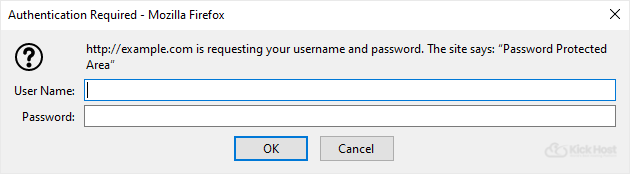
You can lock a directory with password by using the cpanel “Password Protected Directories” Option.
1. Log into your cpanel account.
2. In the “Files” section, click on “Directory Privacy” Icon.

3. Click the icon to open a folder.
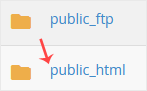
.. name of directory you want to protect by password.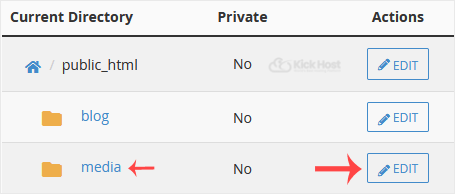
5. Under “Security Settings”, check the box next to “Password protect this directory” and enter a name for the protected directory like “Password Protected Area”. Then click the “close” babies.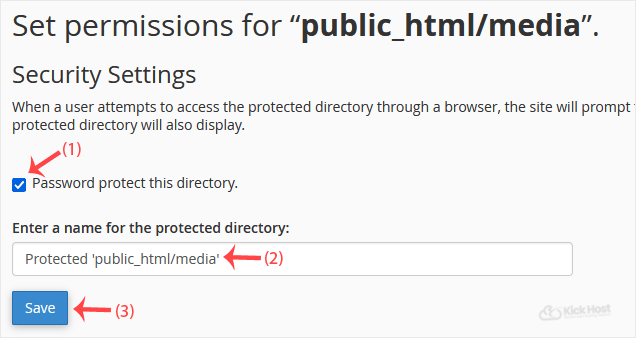
6. Now. “Go back” babies.
7. Scroll down the page and under “Create User” fill in the username and password fields or use the Password Generator option to generate a new random password and copy the user/password to a notepad. You will need this when you want to open your password-protected directory and. “close” babies.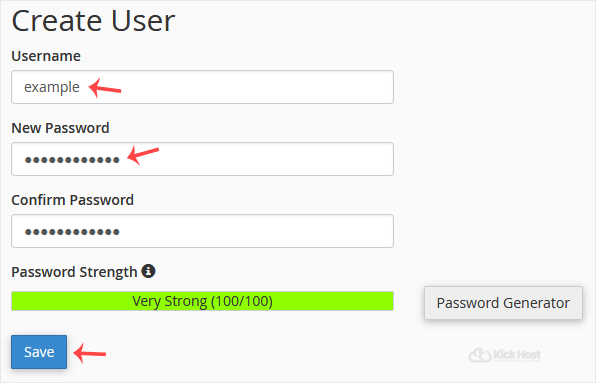
Now, should you try to open your password protected directory in your browser through the url www.example.com/myfolder, which is already password protected, your browser will prompt you to enter username and password.