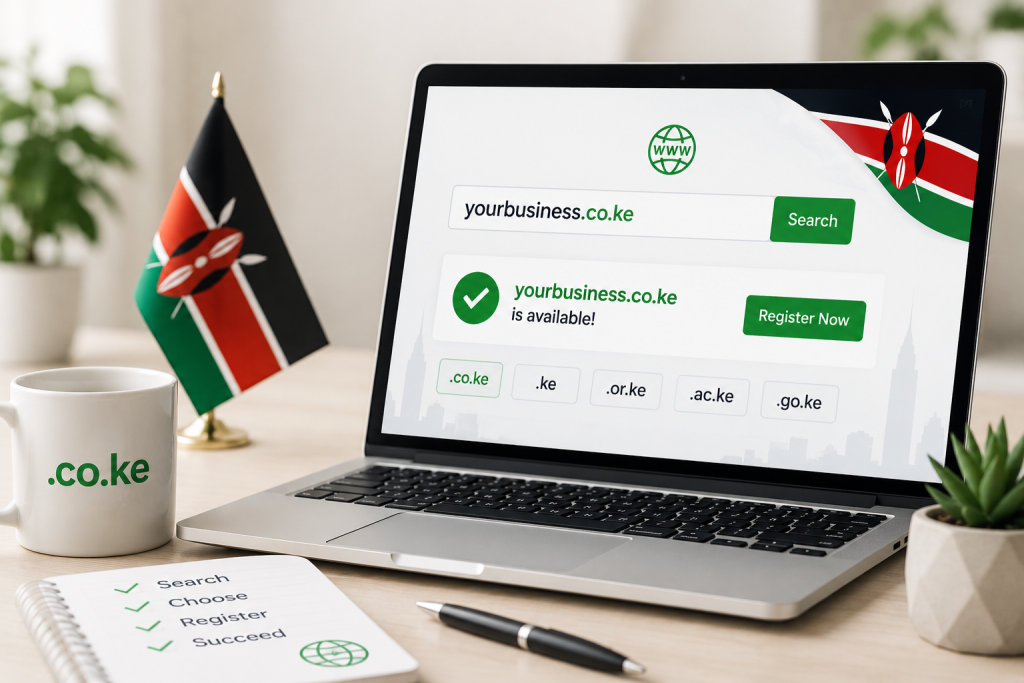
If you are starting a business in Kenya, the first thing you need is a website. And before you can build a website, you need a domain name. For Kenyan businesses, the .co.ke domain is the most trusted and recognised choice.
This guide walks you through every step of registering a .co.ke domain in Kenya – from checking availability to completing your purchase with a KENIC-accredited registrar.
What Is a .co.ke Domain?
A .co.ke domain is the official Kenyan domain extension managed by KENIC (Kenya Network Information Centre). It is the Kenyan equivalent of .co.uk (United Kingdom) or .co.za (South Africa).
Over 70% of Kenyan businesses with an online presence use a .co.ke domain because it signals to customers that you are a locally registered company operating in Kenya.
Other Kenyan domain extensions include:
- .ke – shorter, harder to get (stricter KENIC rules)
- .or.ke – for NGOs and non-profit organisations
- .ac.ke – for accredited universities and colleges
- .sc.ke – for primary and secondary schools
- .go.ke – for government entities
For most businesses, registering a .co.ke domain is the right choice because it is affordable, easy to get, and instantly recognised by Kenyan consumers.
Why You Need a .co.ke Domain
Here is why a .co.ke domain matters for your Kenyan business:
- Local trust. Kenyan consumers trust .co.ke websites more than generic .com domains. When someone sees .co.ke, they know you are a local business they can hold accountable.
- Better SEO in Kenya. Google uses country-code top-level domains (ccTLDs) as a geographic signal. A .co.ke domain ranks better in Kenyan search results than a .com domain for the same keywords.
- Availability. Most good .com names were taken years ago. .co.ke still has plenty of short, memorable names available.
- Affordable pricing. A .co.ke domain costs around KES 1,499 per year – comparable to or cheaper than many .com domains.
- KENIC protection. KENIC has strict dispute resolution procedures that protect your domain from hijacking or unauthorised transfers.
How to Register a .co.ke Domain (5 Steps)
Step 1: Check if Your Domain Is Available
Go to any KENIC-accredited registrar and use their domain search tool. Type your desired business name followed by .co.ke and hit search. For example, if your business is called “Nairobi Tech Solutions”, search for “nairo bitechsolutions.co.ke”.
The search tool will tell you immediately whether the name is available or already taken. If it is taken, try alternatives – add your industry (“nairo bitechsolutions.co.ke”), your location (“nairo bitechsolutions.co.ke”), or a different keyword.
Search for your .co.ke domain here – it takes 5 seconds.
Step 2: Choose Your Registration Period
Domain names in Kenya can be registered for 1 to 5 years at a time. Most registrars offer a discount for multi-year registrations. If you are serious about your business, registering for 2–3 years is a good idea because:
- You lock in the current price before any KENIC fee increases
- You reduce the risk of forgetting to renew
- Google sees longer registrations as a positive trust signal
Step 3: Provide Your Details
KENIC requires accurate registrant information for every .co.ke domain. You will need to provide:
- Your full name or company name (as the registrant)
- A valid email address (this is where renewal reminders are sent)
- A Kenyan phone number
- Your physical address in Kenya
- Your ID/passport number (some registrars require this for KENIC compliance)
Make sure this information is correct. If your contact details are wrong, you could lose your domain if someone disputes ownership.
Step 4: Complete Payment
Most Kenyan registrars accept multiple payment methods:
- M-Pesa – pay via Paybill or STK Push
- Airtel Money
- Visa / Mastercard – debit and credit cards
- Bank transfer – direct EFT to the registrar’s account
- PayPal – for international customers
Payment is processed instantly, and your domain is typically activated within minutes of KENIC confirming the registration.
Step 5: Configure Your Domain
Once your .co.ke domain is registered, you need to point it to your website. This is done by updating the nameservers. Your registrar will provide you with default nameservers, or you can use custom ones if you have hosting.
If you registered your domain and hosting with the same provider, the nameservers are usually set automatically. Your website goes live within a few hours as DNS propagates across the internet.
Need web hosting for your new .co.ke domain? Get started with a Linux shared hosting plan from KES 299/month.
How Much Does a .co.ke Domain Cost?
Here are the typical prices you can expect for a .co.ke domain in Kenya:
| Registration Period | Typical Price (KES) |
|---|---|
| 1 Year | KES 1,499 |
| 2 Years | KES 2,899 (save ~KES 100) |
| 3 Years | KES 4,199 (save ~KES 300) |
| 5 Years | KES 6,999 (save ~KES 500) |
Prices vary by registrar. Some include free WHOIS privacy and DNS management, while others charge extra. Compare all domain prices at HostGuru.
.co.ke vs .com – Which Is Better for Kenyan Businesses?
| Factor | .co.ke | .com |
|---|---|---|
| Local SEO | Better in Kenya | Global (less local) |
| Customer Trust | High in Kenya | High globally |
| Availability | Many names available | Most names taken |
| Price (1 yr) | KES 1,499 | KES 1,299 |
| KENIC Protection | Yes | No |
Verdict: If your target audience is primarily in Kenya, choose .co.ke. If you need a global brand or plan to expand internationally, register both – use .co.ke for your Kenyan audience and .com as a redirect or secondary site.
Can I Transfer an Existing .co.ke Domain?
Yes. If you already have a .co.ke domain registered with another provider, you can transfer it to a different registrar. The process involves:
- Request an EPP code (authorisation code) from your current registrar
- Initiate the transfer with your new KENIC-accredited registrar
- Confirm the transfer via email
- Wait 24–48 hours for KENIC to process the transfer
Your remaining registration period is preserved – you do not lose time when you transfer. Transfer your .co.ke domain to HostGuru for free.
Frequently Asked Questions
Who owns a .co.ke domain?
The registrant (the person or company whose details are on the KENIC record) owns the domain. Always register in your own name or your company’s name – never let an agent or web developer register it in their name.
How long does .co.ke registration take?
With most KENIC-accredited registrars, a .co.ke domain is activated within 5 to 30 minutes after payment is confirmed. Full propagation across the internet takes up to 24 hours.
Can a foreigner register a .co.ke domain?
Yes. Anyone can register a .co.ke domain, but KENIC requires a valid contact address and phone number. You do not need to be a Kenyan citizen or have a Kenyan company registration.
What happens if I forget to renew my .co.ke domain?
KENIC gives you a 30-day grace period after expiry. If you renew within this window, the domain is restored at the normal renewal price. After 30 days, the domain enters a redemption period where recovery costs extra. After 90 days, the domain is released back to the public pool.
Do I need hosting with my .co.ke domain?
A domain name alone does not host a website. You need web hosting to store your website files and make them accessible online. Many registrars offer domain + hosting bundles. View hosting plans that include a free .co.ke domain.
Get Your .co.ke Domain Today
Your domain name is the foundation of your online presence. A .co.ke domain tells Kenyan customers you are local, trusted, and here to stay.
Search for Your .co.ke Domain Now →
Already have hosting? Register just a .co.ke domain from KES 1,499/year.